

LimoExpress enables companies to turn on passenger review feature that can be cruatial if a company want to get another angle of their operation. There is no better place to look except the passenger review.
This feature allows the management to get feedback on drivings, cars and drivers, with all that info company can improve all aspects of operations.
Below you can find a detailed guide on how to activate/deactivate passenger review feature in LimoExpress platform.
Once you are loggedin in the LimoExpress platform, follow the steps to activate the form. Navigate to the side menu, go to the Administration section, then Organization. When the organization's administration page opens, pay attention to the "Settings" button at the bottom of the page. Click on "Advanced settings" to display the advanced organization settings page.
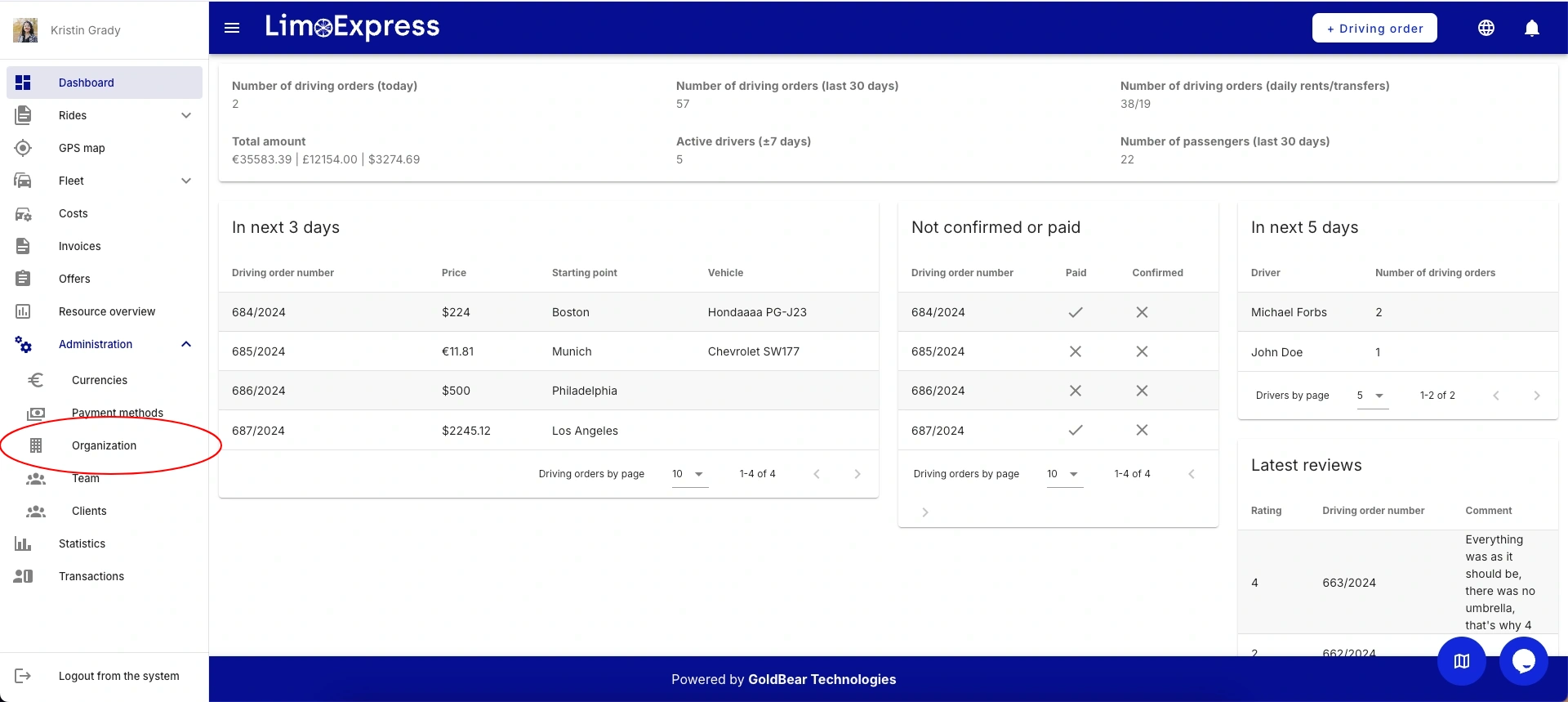
Dashboard
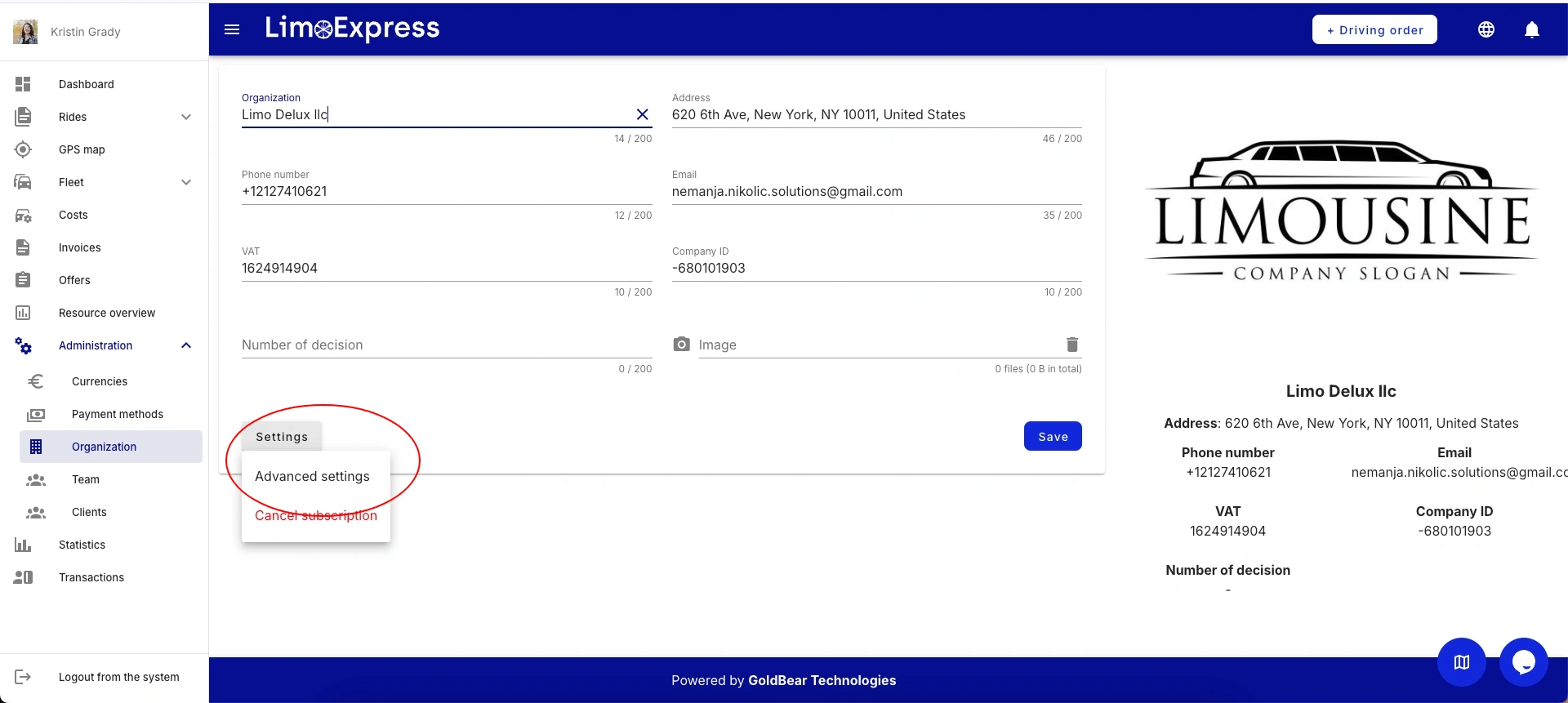
Organization Settings Page
On the advanced organization administration page, go to the middle of the page and click the checkbox button in the "passenger review" section.
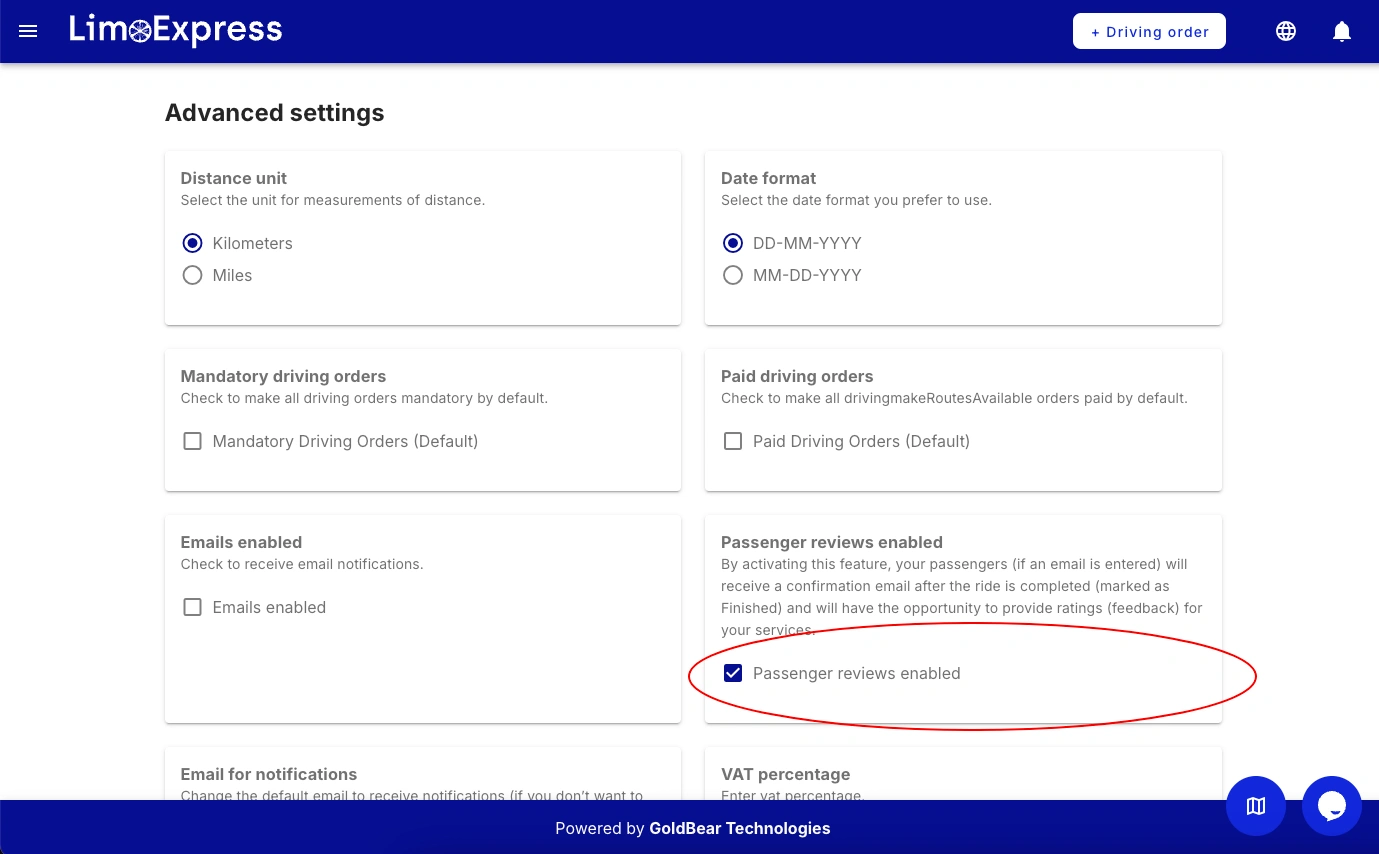
Advanced Organization Settings Page
System will not allow entering email that is not in the correct format but field, is not required. So if email is entered and feature is enabled, passenger will receive review request.
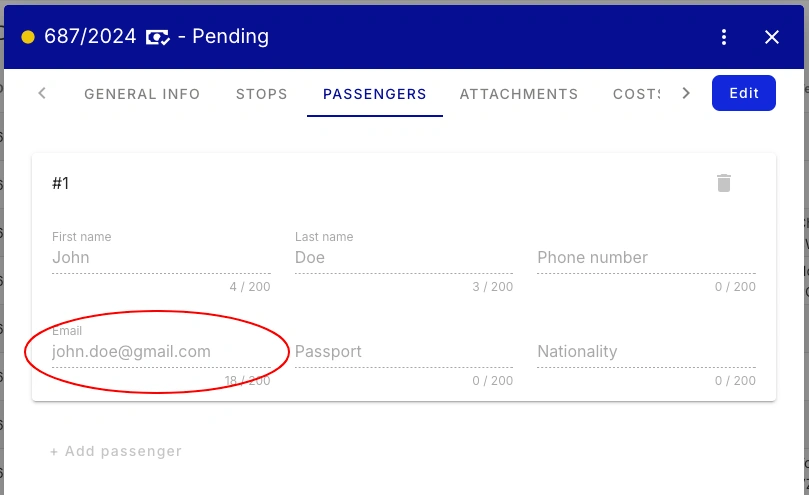
Passenger Form
Example of a email template, some basic info that stays in passenger mailbox with a button for the review form.
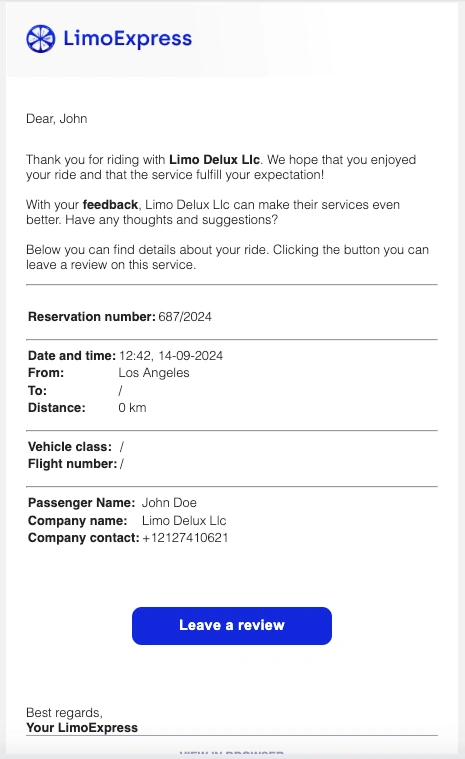
Email Template - Passenger Form Request
Passenger review form is located in the website as a public page, each review request has a unique link.
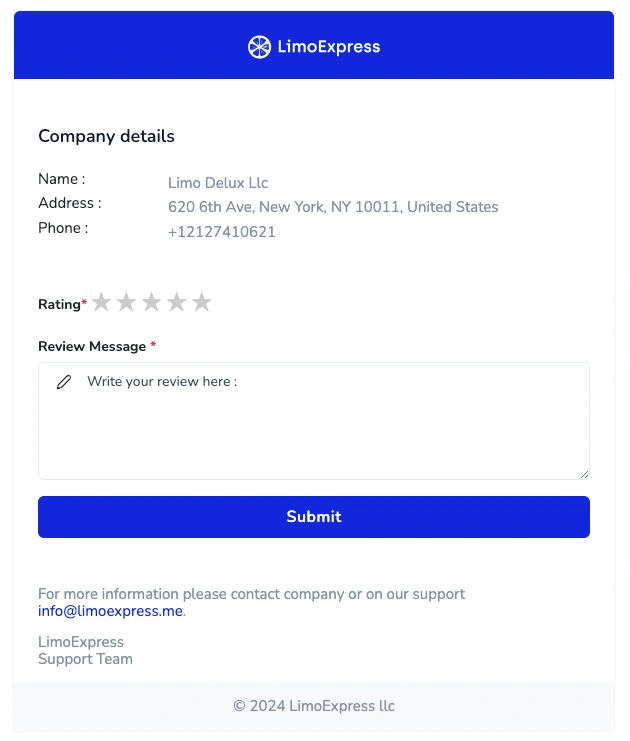
Passenger Review Form
Simply setting checkbox to off passengers will not receive any email when ride is marked as Done.